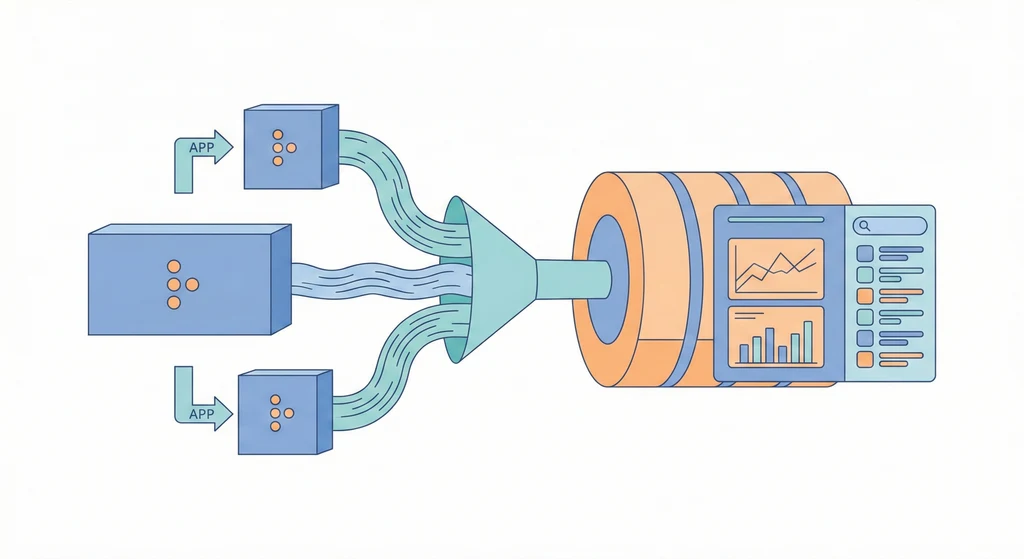
Metrics 告訴你「發生了什麼」,Logs 告訴你「為什麼發生」。如果每次事故都要 SSH 進 5 台機器用 grep 翻 log,那不是排查,是在大海撈針。
先講結論
所有服務的 log 進同一個系統、用結構化 JSON 格式、有 request_id 可以跨服務追蹤、設好 ILM(生命週期管理)避免磁碟爆掉。EFK(Elasticsearch + Fluentd + Kibana)是一套經典的組合,但核心觀念比工具重要。
結構化日誌:不要只印一段字
ERROR: something went wrong
這行 log 告訴你什麼?幾乎什麼都沒有。誰觸發的?哪個服務?什麼 request?
{
  "level": "error",
  "service": "order-api",
  "request_id": "req-abc123",
  "user_id": "u-456",
  "message": "payment gateway timeout",
  "duration_ms": 3200
}
JSON log 讓你可以在 Kibana 裡用 service:order-api AND level:error 精準查詢,而不是用 grep 猜關鍵字。
stdout 為優先
容器世界最穩定的 log 方式就是寫到 stdout。不依賴 file mount、log driver 可以統一設定、Docker 原生就會幫你收。
不要在容器裡面自己寫 log 到檔案——你還得設 log rotation、mount volume、然後擔心磁碟滿。直接 stdout,讓外面的 collector 去處理。
EFK 基本部署
services:
  elasticsearch:
    image: docker.elastic.co/elasticsearch/elasticsearch:8.12.0
    environment:
      - discovery.type=single-node
      - xpack.security.enabled=false
    ports:
      - "127.0.0.1:9200:9200"
    volumes:
      - es-data:/usr/share/elasticsearch/data

  kibana:
    image: docker.elastic.co/kibana/kibana:8.12.0
    ports:
      - "5601:5601"
    environment:
      - ELASTICSEARCH_HOSTS=http://elasticsearch:9200

  fluentd:
    image: fluent/fluentd:latest
    volumes:
      - ./fluentd.conf:/fluentd/etc/fluentd.conf
    ports:
      - "24224:24224"

volumes:
  es-data:
Docker 服務的 log 透過 fluentd driver 送過去:
services:
  api:
    image: registry.example.com/app/api:v1.8.0
    logging:
      driver: fluentd
      options:
        fluentd-address: "localhost:24224"
        tag: "api"
ILM:不設 retention 等於等著爆
Elasticsearch 不會自動清資料。你的 log 只會越來越多,直到磁碟滿、ES 掛掉、Kibana 開不起來。
基線策略:hot 7 天、warm 30 天、delete 60 天。實際時間依流量調整,但一定要設。我看過有人跑了半年沒設 ILM,ES 吃了 500GB,然後某天突然 read-only 因為磁碟 watermark 到了。
最重要的欄位:request_id
如果你只能在 log 裡加一個欄位,加 request_id。
一個 HTTP request 從 API gateway 進來,經過 auth service、order service、payment service。有 request_id 的話,你可以在 Kibana 搜一次就看到整條鏈路。沒有的話?你在每台機器上用時間戳去對——而且你永遠不確定對的是不是同一個 request。
Log 就像監視器錄影。平常沒人看,但出事的時候它是你唯一能還原現場的東西。前提是你有裝、有錄、而且沒有被覆蓋掉。