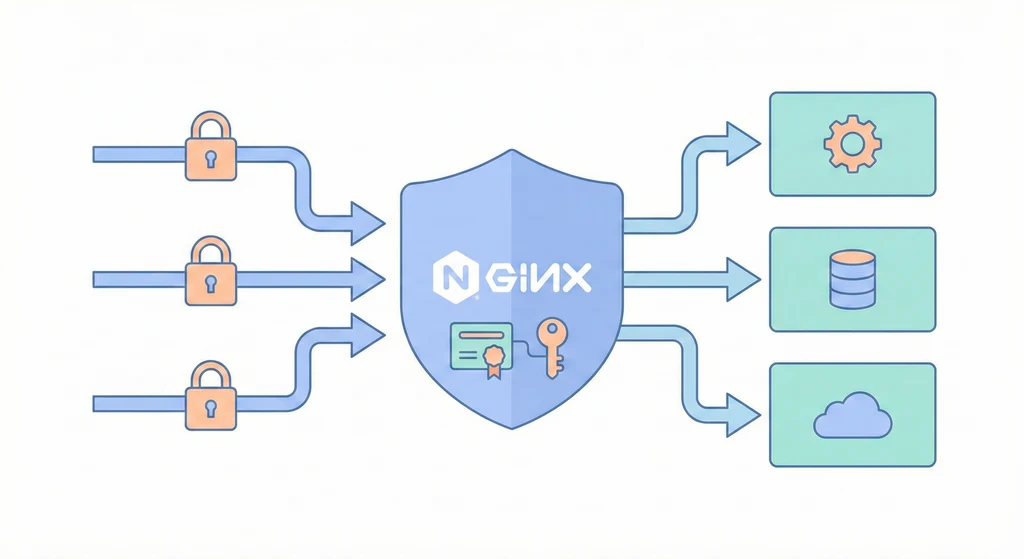
cover

Reverse Proxy + TLS:把所有門口集中管理

當服務越來越多,最怕的不是「不會部署」,而是「入口失控」。 反向代理就是讓所有流量先到一個入口,再由入口轉發到正確的服務。TLS 則確保傳輸安全。這一層做對了,後面的服務可以專心處理業務邏輯,不必自己面對公網或憑證管理。

反向代理的價值是「統一治理」,不是只是轉發。 它讓你在最外層就能做:TLS、WAF、Rate Limit、Header 政策、灰度與觀察

架構概覽

flowchart LR
  Client[Client / Browser] -->|HTTPS| Nginx[Nginx Reverse Proxy]
  Nginx -->|HTTP| API[API Service]
  Nginx -->|HTTP| Admin[Admin Console]
  Nginx -->|HTTP| Git[GitLab]
  Nginx -->|WebSocket| WS[Realtime Service]

  Nginx --> ACME[ACME/Let's Encrypt]

入口的主要責任:

  • 統一 TLS 憑證
  • 依域名/路徑分流
  • 可加上 WAF / Rate Limit / Header 政策
  • 對外統一入口、對內保護服務

核心概念

  1. TLS 統一治理

    • 憑證集中管理,避免每個服務各自申請與續期。
    • 在反向代理層做 HSTS、TLS 版本限制與加密套件配置。
    • 統一啟用 OCSP Stapling,降低握手延遲並提升安全性。
  2. Host/Path Based Routing

    • 依據 server_namelocation 分流至不同服務。
    • 例如 api.example.com → API,admin.example.com → 管理後台。
    • Path-based 常用於「同網域多服務」,但要小心路徑衝突。
  3. Upstream 與負載平衡

    • 多台後端可透過 upstream 分流,支援 round-robin 或權重。
    • 能平滑擴充而不改 DNS。
    • 可搭配健康檢查與故障自動移除節點。
  4. WebSocket 與長連線

    • WebSocket 需要 UpgradeConnection header。
    • 入口必須正確轉發,否則會造成連線斷線。
    • 若有長輪詢或 SSE,也需要適當調整 timeout。
  5. 邊緣防護與觀測

    • 入口可以加上 Rate Limit、IP allowlist、WAF。
    • 把攻擊擋在最外層,避免後端服務直接承受壓力。
    • 建議把 access log 與 error log 統一輸出到 log 系統,方便追查。

使用情境(具體場景)

  • 多服務入口統一:公司有 API、Admin、GitLab、監控等多個服務,全都集中到一個 Nginx 入口,避免每個服務暴露公網。
  • 憑證集中續期:使用 Let’s Encrypt 或 Cloudflare Origin Cert,入口自動續期即可,不需要每個服務更新憑證。
  • 切流或灰度:透過 Nginx upstream 權重,將新版本流量導向特定節點,先觀察再擴大。
  • 事件防護:在 DDoS 或爆量時,先在入口做 rate limit,避免後端資源被打爆。

實作範例 / 設定範例

1) Nginx 基本站台設定(HTTP→HTTPS + HSTS)

# /etc/nginx/sites-enabled/api.conf
server {
    listen 80;
    server_name api.example.com;
 
    # 自動轉 HTTPS
    return 301 https://$host$request_uri;
}
 
server {
    listen 443 ssl http2;
    server_name api.example.com;
 
    ssl_certificate     /etc/letsencrypt/live/api.example.com/fullchain.pem;
    ssl_certificate_key /etc/letsencrypt/live/api.example.com/privkey.pem;
 
    add_header Strict-Transport-Security "max-age=31536000; includeSubDomains" always;
 
    location / {
        proxy_pass http://api-upstream;
        proxy_set_header Host $host;
        proxy_set_header X-Real-IP $remote_addr;
        proxy_set_header X-Forwarded-For $proxy_add_x_forwarded_for;
        proxy_set_header X-Forwarded-Proto $scheme;
    }
}
 
upstream api-upstream {
    server 10.10.10.11:3000;
    server 10.10.10.12:3000;
}

2) WebSocket 轉發設定

# /etc/nginx/sites-enabled/ws.conf
server {
    listen 443 ssl http2;
    server_name ws.example.com;
 
    ssl_certificate     /etc/letsencrypt/live/ws.example.com/fullchain.pem;
    ssl_certificate_key /etc/letsencrypt/live/ws.example.com/privkey.pem;
 
    location / {
        proxy_pass http://10.10.10.20:4000;
        proxy_http_version 1.1;
        proxy_set_header Upgrade $http_upgrade;
        proxy_set_header Connection "upgrade";
        proxy_set_header Host $host;
        proxy_read_timeout 3600;
    }
}

3) ACME 自動續期(certbot)

# 申請憑證(首次)
certbot certonly --nginx -d api.example.com -d admin.example.com
 
# 查看續期狀態
certbot renew --dry-run
 
# 建議加入排程
crontab -l | grep certbot

4) 速率限制(防爆量)

# /etc/nginx/conf.d/limit.conf
limit_req_zone $binary_remote_addr zone=api_limit:10m rate=10r/s;
 
server {
    listen 443 ssl;
    server_name api.example.com;
 
    location / {
        limit_req zone=api_limit burst=20 nodelay;
        proxy_pass http://api-upstream;
    }
}

5) 安全 Header 與壓縮(基礎強化)

# /etc/nginx/conf.d/security.conf
add_header X-Frame-Options "SAMEORIGIN" always;
add_header X-Content-Type-Options "nosniff" always;
add_header Referrer-Policy "strict-origin-when-cross-origin" always;
 
gzip on;
gzip_types text/plain text/css application/json application/javascript;

常見問題與風險

  • 憑證過期: 憑證到期會導致整站不可用,通常是 ACME 續期排程失效。解法是建立監控與 renew --dry-run 定期檢查。

    • 為什麼會發生:HTTP-01 驗證路徑被改動、80 port 被擋或 DNS 指向錯誤。
  • 錯誤的 X-Forwarded-Proto: 後端會以為是 HTTP 而不是 HTTPS,造成 redirect loop。必須確保 X-Forwarded-Proto 被正確帶入。

    • 避免方式:入口統一設定 proxy_set_header X-Forwarded-Proto $scheme;
  • Header 洩漏真實 IP: 如果上游沒有過濾 X-Forwarded-For,攻擊者可偽造來源 IP。應在入口端覆蓋或使用 real_ip 模組。

    • 避免方式:只信任自家 LB/Proxy 的 real_ip 來源。
  • WebSocket 斷線: 未設定 Upgrade header 或 timeout 太短會導致連線被切斷。需要適當的 proxy_read_timeout

    • 避免方式:對 WebSocket 服務獨立設定較長 timeout。
  • 入口成為單點: 所有流量都經過入口,若入口掛掉就全掛。中期應規劃雙入口或雲端 LB。

    • 避免方式:使用 Keepalived/VRRP 或雲端負載平衡器。

優點

  • 入口集中,安全與流量策略一致
  • TLS 憑證統一管理,降低維運成本
  • 可加上快取、壓縮、WAF、Rate Limit 等能力

缺點 / 限制

  • 入口成為單點故障,需要額外 HA
  • 反向代理設定複雜,錯誤容易影響全站
  • TLS 與高併發會帶來 CPU 成本

落地檢查清單

  • 是否所有服務都經過入口,不直接暴露公網
  • 是否設定 HSTS 與 TLS 版本限制
  • 是否有憑證續期監控
  • WebSocket 是否正確轉發
  • 入口是否有 HA 或 failover 策略

延伸閱讀