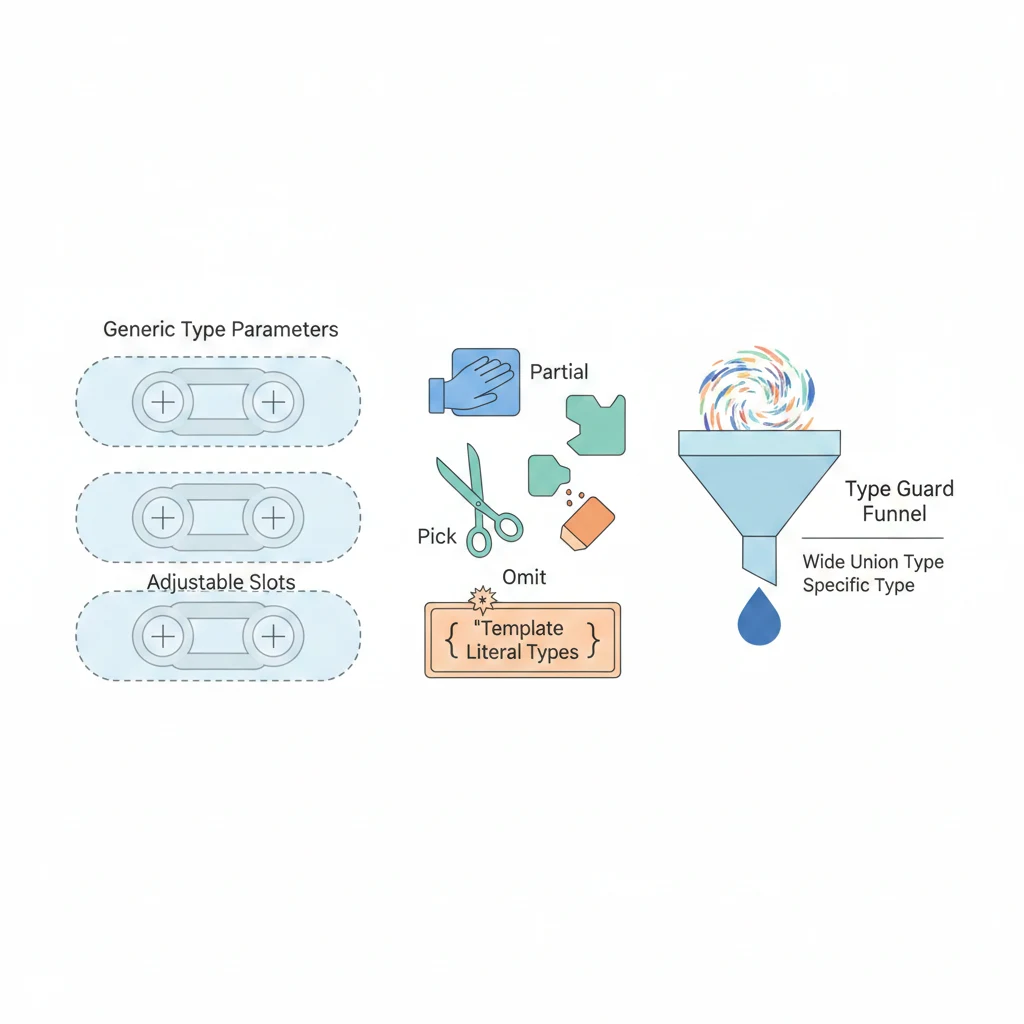
如果你已經看過 為什麼要用 TypeScript 和 TypeScript 基本型別,那你現在應該已經會宣告型別、知道 string、number、boolean 怎麼用了。
但問題來了——然後呢?
TypeScript 拿到手了,除了幫你抓 undefined is not a function 之外,還能幹嘛?答案是:超多。TypeScript 的型別系統本身就是一套程式語言,你可以用它做命名轉換、自動推導、篩選型別,甚至幫你的 API 層自動對齊前後端的資料格式。
這篇文章不會從頭教語法,而是直接告訴你:什麼情境下,用哪個 TS 功能特別爽。
1. 命名轉換 Utility — Template Literal Types
你有沒有遇過前端明明傳了正確的 key,後端卻說找不到?八成是 camelCase 和 snake_case 的問題。
前後端的命名慣例不一樣是日常。後端(尤其是 Python、Ruby)喜歡 snake_case,前端 JavaScript 世界用 camelCase。每次串 API 都要手動轉換?不用,TypeScript 的 Template Literal Types 可以在型別層級幫你做這件事。
基礎:Template Literal Types 是什麼?
就是把字串的操作搬到型別層級:
// 你可以在型別裡面「組合」字串
type Greeting = `Hello, ${string}`;
// Greeting 可以是 "Hello, Alice"、"Hello, world" 等任何 "Hello, ..." 的字串
// TypeScript 內建四個字串轉換工具型別
type A = Uppercase<"hello">; // "HELLO"
type B = Lowercase<"HELLO">; // "hello"
type C = Capitalize<"hello">; // "Hello"
type D = Uncapitalize<"Hello">; // "hello"實戰:snake_case 轉 camelCase
這是你真的會用到的場景。假設後端 API 回傳 user_name、created_at,你想在前端用 userName、createdAt:
// 把 snake_case 轉成 camelCase 的 utility type
type SnakeToCamel<S extends string> =
S extends `${infer Head}_${infer Tail}`
? `${Head}${Capitalize<SnakeToCamel<Tail>>}`
: S;
// 測試一下
type Test1 = SnakeToCamel<"user_name">; // "userName"
type Test2 = SnakeToCamel<"created_at">; // "createdAt"
type Test3 = SnakeToCamel<"order_line_item">; // "orderLineItem"進階:整個物件的 key 一次轉換
光轉一個字串不夠,你想把整個 API response 的 key 全部轉成 camelCase:
// 把物件所有 key 從 snake_case 轉成 camelCase
type CamelCaseKeys<T> = {
[K in keyof T as K extends string ? SnakeToCamel<K> : K]: T[K];
};
// 後端回傳的型別
interface ApiUser {
user_name: string;
created_at: string;
is_active: boolean;
avatar_url: string | null;
}
// 前端要用的型別 — 自動轉換!
type FrontendUser = CamelCaseKeys<ApiUser>;
// 等同於:
// {
// userName: string;
// createdAt: string;
// isActive: boolean;
// avatarUrl: string | null;
// }這樣你只要維護一份後端的型別定義,前端的型別就自動產生了。搭配 runtime 的轉換函式(例如 lodash/camelCase),型別和值都能對齊。
反過來:camelCase 轉 kebab-case
如果你在寫 CSS-in-JS 或 HTML attribute,可能需要 kebab-case:
// camelCase 轉 kebab-case
type CamelToKebab<S extends string> =
S extends `${infer Head}${infer Tail}`
? Tail extends Uncapitalize<Tail>
? `${Lowercase<Head>}${CamelToKebab<Tail>}`
: `${Lowercase<Head>}-${CamelToKebab<Tail>}`
: S;
type Test4 = CamelToKebab<"backgroundColor">; // "background-color"
type Test5 = CamelToKebab<"fontSize">; // "font-size"
type Test6 = CamelToKebab<"borderTopWidth">; // "border-top-width"2. Utility Types 精選 — 什麼情境用哪個
TypeScript 內建了一堆 Utility Types,但官方文件列出來像字典一樣。這邊不背字典,只告訴你什麼時候要翻哪一頁。
Partial<T> — 表單草稿儲存
想像你有一個使用者設定表單,使用者可能只改了名字還沒改 email,你想把「填到一半」的狀態存起來。Partial 就是你的草稿紙:
interface UserSettings {
displayName: string;
email: string;
theme: "light" | "dark";
language: string;
notifications: boolean;
}
// 存草稿 — 所有欄位都變成 optional
function saveDraft(draft: Partial<UserSettings>) {
localStorage.setItem("settings-draft", JSON.stringify(draft));
}
// 使用者只改了主題,其他還沒動
saveDraft({ theme: "dark" }); // OK!不用傳完整的物件
// 最後送出時要求完整資料
function submitSettings(settings: UserSettings) {
// 這裡所有欄位都必須有值
api.updateSettings(settings);
}Partial<T> 把所有 property 變成 optional(加上 ?)。反過來,Required<T> 把所有 optional 的 property 變成必填——適合用在表單驗證通過後、確定所有欄位都有值的場景。
Pick<T, K> / Omit<T, K> — 只取需要的欄位
API 回傳的物件有 20 個欄位,但你的卡片元件只需要其中 3 個?別把整個型別丟進去:
interface Product {
id: string;
name: string;
description: string;
price: number;
stock: number;
category: string;
images: string[];
createdAt: Date;
updatedAt: Date;
}
// 卡片只需要這幾個欄位
type ProductCardProps = Pick<Product, "id" | "name" | "price" | "images">;
// { id: string; name: string; price: number; images: string[] }
// 或者反過來:「除了 createdAt 和 updatedAt 以外都要」
type ProductFormData = Omit<Product, "id" | "createdAt" | "updatedAt">;
// 建立新產品時,id 和時間戳由後端產生口訣:欄位少的時候用 Pick,排除少數欄位的時候用 Omit。
Record<K, V> — 建立 lookup table
你有一組固定的 key,每個 key 對應同一種結構?Record 就是為這個場景設計的:
// 多國語系的翻譯表
type SupportedLanguage = "zh-TW" | "en" | "ja";
const translations: Record<SupportedLanguage, { greeting: string; farewell: string }> = {
"zh-TW": { greeting: "你好", farewell: "再見" },
"en": { greeting: "Hello", farewell: "Goodbye" },
"ja": { greeting: "こんにちは", farewell: "さようなら" },
};
// 如果你漏了某個語言,TypeScript 會報錯
// 如果你多加了不存在的語言,也會報錯
// HTTP 狀態碼對應訊息
type StatusCode = 200 | 400 | 401 | 403 | 404 | 500;
const statusMessages: Record<StatusCode, string> = {
200: "OK",
400: "Bad Request",
401: "Unauthorized",
403: "Forbidden",
404: "Not Found",
500: "Internal Server Error",
};ReturnType<T> — 取得函式回傳型別
有時候你想要某個函式的回傳型別,但那個函式不是你寫的(可能來自第三方套件),你沒辦法直接 export 它的型別。這時候 ReturnType 很好用:
// 假設這是第三方套件裡的函式
function createConfig() {
return {
apiUrl: "https://api.example.com",
timeout: 5000,
retries: 3,
debug: false,
};
}
// 你不用自己重新定義一次型別
type AppConfig = ReturnType<typeof createConfig>;
// { apiUrl: string; timeout: number; retries: number; debug: boolean }
// 搭配 async 函式的話,用 Awaited 解開 Promise
async function fetchUsers() {
const res = await fetch("/api/users");
return res.json() as Promise<{ id: string; name: string }[]>;
}
type Users = Awaited<ReturnType<typeof fetchUsers>>;
// { id: string; name: string }[]Extract<T, U> / Exclude<T, U> — 從 union 中篩選
你有一個 union type,想從裡面「挑出」或「排除」某些成員:
type AllEvents =
| { type: "click"; x: number; y: number }
| { type: "keypress"; key: string }
| { type: "scroll"; offset: number }
| { type: "resize"; width: number; height: number };
// 只要跟滑鼠有關的事件
type MouseEvents = Extract<AllEvents, { type: "click" } | { type: "scroll" }>;
// { type: "click"; x: number; y: number } | { type: "scroll"; offset: number }
// 排除鍵盤事件
type NonKeyboardEvents = Exclude<AllEvents, { type: "keypress" }>;
// 也可以用在簡單的 union
type HttpMethod = "GET" | "POST" | "PUT" | "PATCH" | "DELETE";
type SafeMethod = Extract<HttpMethod, "GET">; // "GET"
type UnsafeMethod = Exclude<HttpMethod, "GET">; // "POST" | "PUT" | "PATCH" | "DELETE"3. Generic 泛型的日常應用
泛型是很多人學 TypeScript 時覺得最抽象的部分。但其實你每天都在用——
Array<number>、Promise<string>裡的<>就是泛型。問題不是「泛型怎麼寫」,而是「什麼時候該自己定義泛型」。
什麼時候該用泛型?
簡單的判斷標準:當你發現自己在複製貼上差不多的函式,只是型別不一樣的時候。
API Client Wrapper
這大概是泛型最經典的使用場景了。你有一堆 API endpoint,每個回傳的資料結構不同,但 fetch 的邏輯都一樣:
// 不用泛型的寫法 — 每個 API 都要寫一個 function
async function fetchUsers(): Promise<User[]> {
const res = await fetch("/api/users");
if (!res.ok) throw new Error("Failed to fetch users");
return res.json();
}
async function fetchProducts(): Promise<Product[]> {
const res = await fetch("/api/products");
if (!res.ok) throw new Error("Failed to fetch products");
return res.json();
}
// 複製貼上 10 次... 不太對吧?
// 用泛型的寫法 — 一個 function 搞定
async function fetchApi<T>(url: string): Promise<T> {
const res = await fetch(url);
if (!res.ok) throw new Error(`Failed to fetch ${url}`);
return res.json();
}
// 呼叫時指定回傳型別
const users = await fetchApi<User[]>("/api/users");
// ^? User[]
const products = await fetchApi<Product[]>("/api/products");
// ^? Product[]更進階一點,你可以把錯誤處理也包進去:
// 帶有錯誤處理的 API wrapper
type ApiResult<T> =
| { ok: true; data: T }
| { ok: false; error: string };
async function safeApi<T>(url: string): Promise<ApiResult<T>> {
try {
const res = await fetch(url);
if (!res.ok) {
return { ok: false, error: `HTTP ${res.status}: ${res.statusText}` };
}
const data: T = await res.json();
return { ok: true, data };
} catch (e) {
return { ok: false, error: e instanceof Error ? e.message : "Unknown error" };
}
}
// 使用時,TypeScript 會幫你 narrow type
const result = await safeApi<User>("/api/user/1");
if (result.ok) {
console.log(result.data.name); // TypeScript 知道這裡是 User
} else {
console.error(result.error); // TypeScript 知道這裡是 string
}React Component with Generic Props
如果你在寫 React,泛型元件可以讓你的 component 更靈活又保持型別安全:
// 一個通用的列表元件
interface ListProps<T> {
items: T[];
renderItem: (item: T) => React.ReactNode;
keyExtractor: (item: T) => string;
emptyMessage?: string;
}
function List<T>({ items, renderItem, keyExtractor, emptyMessage }: ListProps<T>) {
if (items.length === 0) {
return <p>{emptyMessage ?? "沒有資料"}</p>;
}
return (
<ul>
{items.map((item) => (
<li key={keyExtractor(item)}>{renderItem(item)}</li>
))}
</ul>
);
}
// 使用時,T 會自動推導
<List
items={users}
renderItem={(user) => <span>{user.name}</span>}
keyExtractor={(user) => user.id}
/>
<List
items={products}
renderItem={(product) => <span>{product.name} - ${product.price}</span>}
keyExtractor={(product) => product.id}
/>Collection Utilities
自己寫工具函式的時候,泛型可以讓你的函式像 Array.prototype.filter 一樣通用:
// 根據某個 key 去重
function uniqueBy<T>(arr: T[], keyFn: (item: T) => string | number): T[] {
const seen = new Set<string | number>();
return arr.filter((item) => {
const key = keyFn(item);
if (seen.has(key)) return false;
seen.add(key);
return true;
});
}
// 使用
const uniqueUsers = uniqueBy(users, (u) => u.id);
// ^? User[]
// 分組
function groupBy<T>(arr: T[], keyFn: (item: T) => string): Record<string, T[]> {
return arr.reduce((groups, item) => {
const key = keyFn(item);
(groups[key] ??= []).push(item);
return groups;
}, {} as Record<string, T[]>);
}
const usersByRole = groupBy(users, (u) => u.role);
// ^? Record<string, User[]>4. Type Guards 與 Discriminated Unions
型別檢查是編譯時期的事,但有些東西只有在 runtime 才知道——比如 API 回傳的資料到底長什麼樣。Type Guard 就是告訴 TypeScript「嗯,我已經在 runtime 確認過了,這東西就是這個型別」。
is keyword 自訂 Type Guard
TypeScript 的 typeof 和 instanceof 可以處理基本的型別判斷,但遇到自訂的 interface 就不夠用了。
interface Cat {
type: "cat";
meow(): void;
}
interface Dog {
type: "dog";
bark(): void;
}
type Pet = Cat | Dog;
// 自訂 Type Guard — 回傳 `pet is Cat`
function isCat(pet: Pet): pet is Cat {
return pet.type === "cat";
}
function handlePet(pet: Pet) {
if (isCat(pet)) {
pet.meow(); // TypeScript 知道 pet 是 Cat
} else {
pet.bark(); // TypeScript 知道 pet 是 Dog
}
}實務上更常見的場景——判斷 API 回傳的資料是不是正確格式:
interface ApiSuccess<T> {
status: "success";
data: T;
}
interface ApiError {
status: "error";
message: string;
code: number;
}
type ApiResponse<T> = ApiSuccess<T> | ApiError;
// Type Guard
function isApiSuccess<T>(response: ApiResponse<T>): response is ApiSuccess<T> {
return response.status === "success";
}
const response = await fetchApi<ApiResponse<User[]>>("/api/users");
if (isApiSuccess(response)) {
renderUserList(response.data); // response.data 是 User[]
} else {
showError(response.message); // response 是 ApiError
}Discriminated Unions — 用一個 key 分辨型別
Discriminated union(也叫 tagged union)是 TypeScript 最強大的 pattern 之一。核心概念:每個 union 成員都有一個共同的 literal type property(discriminant),TypeScript 可以根據這個 property 自動 narrow 型別。
Redux Action 的經典用法
type TodoAction =
| { type: "ADD_TODO"; payload: { text: string } }
| { type: "TOGGLE_TODO"; payload: { id: string } }
| { type: "DELETE_TODO"; payload: { id: string } }
| { type: "SET_FILTER"; payload: { filter: "all" | "active" | "done" } };
function todoReducer(state: TodoState, action: TodoAction): TodoState {
switch (action.type) {
case "ADD_TODO":
return { ...state, todos: [...state.todos, { text: action.payload.text, done: false }] };
case "TOGGLE_TODO":
return { ...state, todos: state.todos.map(t => t.id === action.payload.id ? { ...t, done: !t.done } : t) };
case "DELETE_TODO":
return { ...state, todos: state.todos.filter(t => t.id !== action.payload.id) };
case "SET_FILTER":
return { ...state, filter: action.payload.filter };
}
}API 回應的多種狀態
type RequestState<T> =
| { status: "idle" }
| { status: "loading" }
| { status: "success"; data: T }
| { status: "error"; error: string };
function renderUserProfile(state: RequestState<User>) {
switch (state.status) {
case "idle": return <p>點擊載入</p>;
case "loading": return <Spinner />;
case "success": return <UserCard user={state.data} />;
case "error": return <ErrorBanner message={state.error} />;
}
}satisfies operator — TS 4.9+ 的好用
satisfies 是比較新的功能,解決了一個很常見的痛點:你想確認一個值符合某個型別,但不想失去具體的 literal type 資訊。
type Color = "red" | "green" | "blue";
type ColorMap = Record<Color, string | number[]>;
// 用 : 型別註解 — 型別變寬了
const colorsAnnotated: ColorMap = {
red: "#ff0000",
green: [0, 255, 0],
blue: "#0000ff",
};
colorsAnnotated.red.toUpperCase();
// ^^^ 報錯!TypeScript 不知道 red 是 string 還是 number[]
// 用 satisfies — 驗證型別但保留具體資訊
const colors = {
red: "#ff0000",
green: [0, 255, 0],
blue: "#0000ff",
} satisfies ColorMap;
colors.red.toUpperCase(); // TypeScript 知道 red 是 string
colors.green.map((v) => v); // TypeScript 知道 green 是 number[]satisfies 的最佳使用時機:
- Config 物件:你想確保結構正確,但又希望存取時保留 literal type
- Route 定義:驗證所有路由都已定義,但每個路由的 params 型別不同
- i18n 翻譯:確保所有語言都有翻譯,但值可能是 string 或 function
interface RouteConfig {
path: string;
component: React.ComponentType;
auth?: boolean;
}
const routes = {
home: { path: "/", component: HomePage },
profile: { path: "/profile", component: ProfilePage, auth: true },
settings: { path: "/settings", component: SettingsPage, auth: true },
login: { path: "/login", component: LoginPage },
} satisfies Record<string, RouteConfig>;
// 如果你漏了 component 欄位,TypeScript 也會在 satisfies 那行報錯5. Conditional Types 與 Mapped Types
如果泛型是「讓函式適用於多種型別」,那 Conditional Types 就是「讓型別根據條件自動變化」。聽起來很學術,但實際場景很常見。
根據 input type 自動推導 output type
type EventPayload<E extends string> =
E extends "click" ? { x: number; y: number } :
E extends "keypress" ? { key: string; code: string } :
E extends "submit" ? { formData: FormData } :
never;
function on<E extends "click" | "keypress" | "submit">(
event: E,
handler: (payload: EventPayload<E>) => void
) { /* ... */ }
on("click", (payload) => {
console.log(payload.x, payload.y);
});
on("keypress", (payload) => {
console.log(payload.key);
});infer 的實用技巧
infer 讓你在 conditional type 裡面「擷取」型別的某一部分。你可以把它想成型別版的正則 capture group:
type UnwrapPromise<T> = T extends Promise<infer U> ? U : T;
type A = UnwrapPromise<Promise<string>>; // string
type B = UnwrapPromise<Promise<number[]>>; // number[]
type C = UnwrapPromise<string>; // string
type FirstParam<F> = F extends (first: infer P, ...rest: any[]) => any ? P : never;
type D = FirstParam<(name: string, age: number) => void>; // string
type E = FirstParam<() => void>; // never
type ElementOf<T> = T extends (infer E)[] ? E : never;
type F = ElementOf<string[]>; // string
type G = ElementOf<User[]>; // UserMapped Types — 批次轉換物件型別
Mapped Types 讓你遍歷一個型別的所有 key,然後對每個 key 做轉換:
type MyReadonly<T> = {
readonly [K in keyof T]: T[K];
};
type Nullable<T> = {
[K in keyof T]: T[K] | null;
};
interface User {
name: string;
email: string;
age: number;
}
type NullableUser = Nullable<User>;
// { name: string | null; email: string | null; age: number | null }實戰:從型別自動建立 Form Validation Schema
這是一個比較綜合的例子,把 Mapped Types、Conditional Types 結合起來:
type ValidationRule<T> = {
required?: boolean;
validate?: (value: T) => string | null;
};
type ValidationSchema<T> = {
[K in keyof T]: ValidationRule<T[K]>;
};
type ValidationErrors<T> = {
[K in keyof T]?: string;
};
interface LoginForm {
email: string;
password: string;
rememberMe: boolean;
}
const loginValidation: ValidationSchema<LoginForm> = {
email: {
required: true,
validate: (value) =>
/^[^\s@]+@[^\s@]+\.[^\s@]+$/.test(value) ? null : "請輸入有效的 email",
},
password: {
required: true,
validate: (value) =>
value.length >= 8 ? null : "密碼至少需要 8 個字元",
},
rememberMe: { required: false },
};
function validate<T extends Record<string, any>>(
data: T, schema: ValidationSchema<T>
): ValidationErrors<T> {
const errors: ValidationErrors<T> = {};
for (const key in schema) {
const rule = schema[key];
const value = data[key];
if (rule.required && (value === undefined || value === null || value === "")) {
errors[key] = "此欄位為必填"; continue;
}
if (rule.validate) {
const error = rule.validate(value);
if (error) errors[key] = error;
}
}
return errors;
}
const errors = validate(
{ email: "not-an-email", password: "123", rememberMe: false },
loginValidation
);
// errors.email → "請輸入有效的 email"
// errors.password → "密碼指少需要 8 個字元"6. 總結:什麼情境特別適合 TypeScript
講了這麼多進階用法,最後回到一個問題:到底什麼時候 TypeScript 的 CP 值最高?
前後端 API 介接
這是 TypeScript 最顯著的 ROI 所在。你可以定義一份共用的型別,前後端都用同一份:
export interface CreateOrderRequest {
productId: string;
quantity: number;
shippingAddress: Address;
}
export interface CreateOrderResponse {
orderId: string;
estimatedDelivery: string;
total: number;
}搭配 Template Literal Types 做命名轉換,搭配 Utility Types 做 Pick / Omit,你再也不用擔心「前端送的 key 後端接不到」的問題。
大型專案的重構信心
想像你有一個 10 萬行的 codebase,老闆說要把 user 模組的資料結構改一下。如果沒有型別系統,你只能靠全域搜尋和祈禱。但有了 TypeScript:
- 改了 interface,所有用到的地方立刻報錯
- 搭配 IDE 的 rename symbol,一鍵重新命名
- Compiler 會告訴你還有哪裡沒改到
這不是「錦上添花」,這是「沒有會死」的等級。
Library / SDK 開發
如果你在開發給別人用的 library 或 SDK,TypeScript 的型別定義就是你最好的文件。使用者不用翻文件,IDE 就會告訴他們怎麼用:
- Generic 讓你的 API 適用於各種型別
- Utility Types 讓使用者可以靈活組合你的型別
- Discriminated Unions 讓錯誤處理更安全
表單驗證與複雜狀態管理
表單驗證是前端最煩的事之一。但你看了第 5 節的 ValidationSchema 就知道,TypeScript 可以讓你:
- 自動從表單型別產生驗證 schema
- 確保每個欄位都有對應的驗證規則
- 驗證錯誤的 key 跟表單欄位完全對齊
團隊協作
最後,也是最重要的:TypeScript 讓團隊溝通的成本大幅降低。當你看到一個函式的簽名是 (user: User, options?: UpdateOptions) => Promise<ApiResult<User>>,你不需要去問同事「這個函式要傳什麼、會回傳什麼」——型別已經告訴你了。