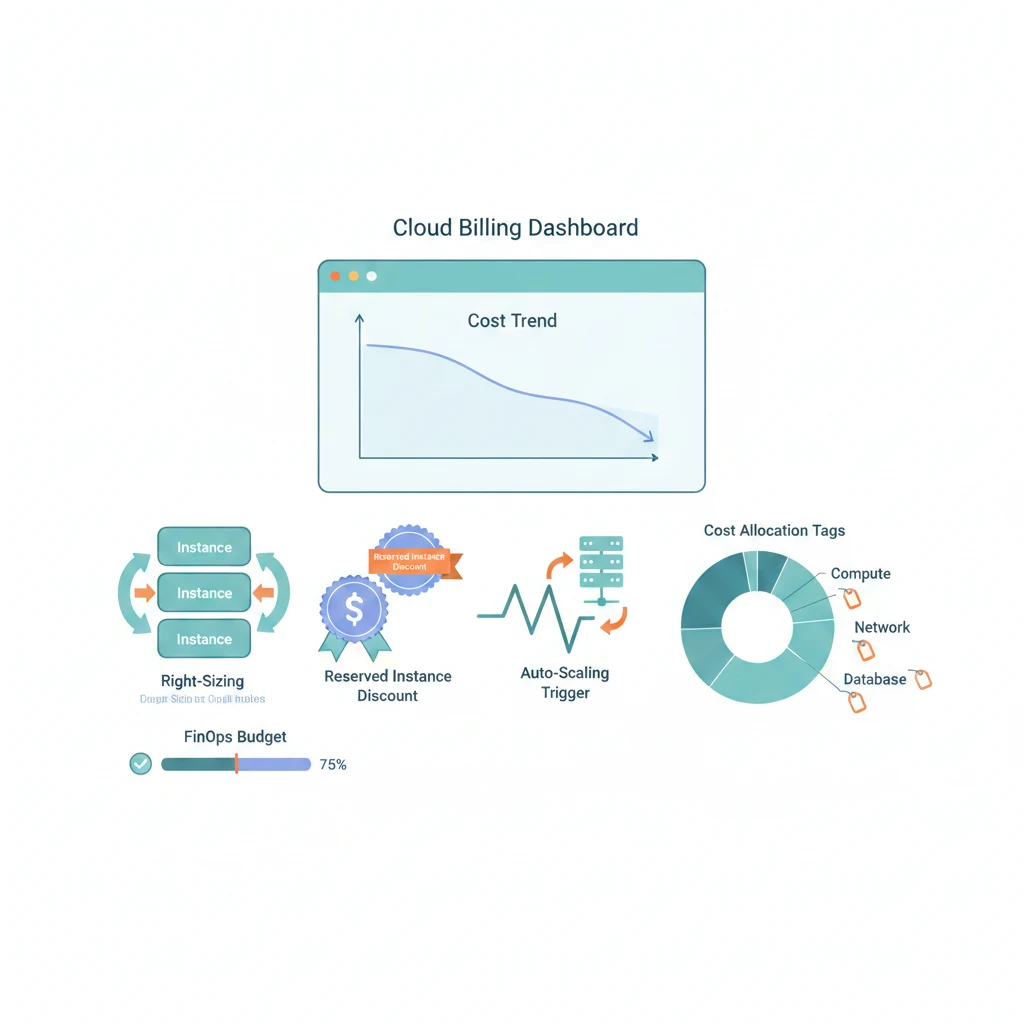
上一篇聊了帳單為什麼會爆,這篇直接教你怎麼省。從 Right-sizing 到自動清理,每個策略都附設定範例。
先講結論
- Right-sizing 是 CP 值最高的優化——把 CPU < 20% 的 instance 降級,直接省 50%
- RI/Savings Plans 省 30-72%,但先跑 1-2 個月 On-Demand 確認用量再買
- Spot Instance 省 60-90%,但只能用在可中斷的工作負載
- 第一天就設 Budget Alert,不要靠月底看帳單
六個省錢策略
1. Right-sizing — 最簡單最有效
你的 m5.xlarge CPU 長期低於 10%?降級到 m5.large,價格直接砍半。AWS Compute Optimizer 會根據過去的使用量給建議,不用自己算。
我見過最誇張的案例是一台 r5.2xlarge(370 變成 $0.02。
2. Reserved Instances / Savings Plans
穩定 24/7 跑的生產環境,買 RI 或 Savings Plans 是最直接的降本手段:
- 1 年期省 30-40%
- 3 年期省 60-72%(但中途不能退,想清楚再買)
我的建議:先 On-Demand 跑 1-2 個月觀察,確認工作負載穩定後,核心 Compute 和 DB 買 1 年 RI。Savings Plans 比 RI 更靈活(不綁 instance type),如果團隊會頻繁調整規格,優先選 Savings Plans。
3. Spot Instance — 省最多但要設計好
Spot 價格通常是 On-Demand 的 10-30%,但 AWS 隨時可能回收(2 分鐘通知)。適合:
- CI/CD runner(build 完就結束,被中斷就重跑)
- Batch processing(可以分批、有 checkpoint)
- Dev/Test 環境(不需要 100% 可用性)
Production Web 服務用 On-Demand + Spot 混合(ASG 中 70/30 比例)比較安全。
4. Auto Scaling
白天 4 台、凌晨 1 台。如果平均流量只有尖峰的 30%,Auto Scaling 理論上省 50-60% Compute。搭配 Scheduled Scaling(工作日 8:00 擴、22:00 縮)更精準。
5. Storage Tiering
S3 的儲存等級價差超大:
| 等級 | 價格/GB-月 | 適合 |
|---|---|---|
| Standard | $0.023 | 頻繁存取 |
| Infrequent Access | $0.0125 | 每月存取 1-2 次 |
| Glacier Instant | $0.004 | 很少存取但需要立即取回 |
| Glacier Deep Archive | $0.00099 | 歸檔,取回要 12 小時 |
用 Lifecycle Policy 自動降級(下面有設定範例)。
6. 清理未使用的資源
最容易被忽略但效果顯著。常見浪費清單:未掛載的 EBS、過期的 snapshot、閒置的 NAT Gateway/EIP/ALB、週末沒人用但 24 小時在跑的測試環境 RDS。
設定範例:Budget Alert
第一天就該設的東西。花費達 80% 預算時通知、預測超標時通知:
# cloudformation-budget.yml
Resources:
  MonthlyBudget:
    Type: AWS::Budgets::Budget
    Properties:
      Budget:
        BudgetName: monthly-total-cost
        BudgetType: COST
        TimeUnit: MONTHLY
        BudgetLimit:
          Amount: 500
          Unit: USD
      NotificationsWithSubscribers:
        - Notification:
            NotificationType: ACTUAL
            ComparisonOperator: GREATER_THAN
            Threshold: 80
            ThresholdType: PERCENTAGE
          Subscribers:
            - SubscriptionType: EMAIL
              Address: team@example.com
        - Notification:
            NotificationType: FORECASTED
            ComparisonOperator: GREATER_THAN
            Threshold: 100
            ThresholdType: PERCENTAGE
          Subscribers:
            - SubscriptionType: EMAIL
              Address: team@example.com
用 CLI 更快:
aws budgets create-budget \
  --account-id 123456789012 \
  --budget '{
    "BudgetName": "monthly-limit",
    "BudgetType": "COST",
    "TimeUnit": "MONTHLY",
    "BudgetLimit": { "Amount": "500", "Unit": "USD" }
  }' \
  --notifications-with-subscribers '[{
    "Notification": {
      "NotificationType": "ACTUAL",
      "ComparisonOperator": "GREATER_THAN",
      "Threshold": 80,
      "ThresholdType": "PERCENTAGE"
    },
    "Subscribers": [{
      "SubscriptionType": "EMAIL",
      "Address": "team@example.com"
    }]
  }]'
設定範例:S3 Lifecycle Policy
Log 30 天降級 IA、90 天轉 Glacier、365 天轉 Deep Archive、730 天刪除。同時清理未完成的 multipart upload:
{
  "Rules": [
    {
      "ID": "archive-old-logs",
      "Status": "Enabled",
      "Filter": { "Prefix": "logs/" },
      "Transitions": [
        { "Days": 30, "StorageClass": "STANDARD_IA" },
        { "Days": 90, "StorageClass": "GLACIER_IR" },
        { "Days": 365, "StorageClass": "DEEP_ARCHIVE" }
      ],
      "Expiration": { "Days": 730 }
    },
    {
      "ID": "cleanup-incomplete-uploads",
      "Status": "Enabled",
      "Filter": { "Prefix": "" },
      "AbortIncompleteMultipartUpload": { "DaysAfterInitiation": 7 }
    }
  ]
}
aws s3api put-bucket-lifecycle-configuration \
--bucket my-app-bucket \
--lifecycle-configuration file://lifecycle-policy.json那個 cleanup-incomplete-uploads 規則很多人不知道——multipart upload 失敗後殘留的碎片會一直佔空間收費,設 7 天自動清理。
設定範例:Infracost 在 PR 顯示成本變化
在 Terraform plan 階段就知道這次 PR 會多花多少錢。加一台 RDS?PR comment 直接告訴你「月費 +$108」:
# main.tf
resource "aws_instance" "web" {
  ami           = "ami-0abcdef1234567890"
  instance_type = "t3.medium"  # ~$30/月
  root_block_device {
    volume_size = 30   # ~$2.4/月
    volume_type = "gp3"
  }
  tags = {
    env     = "production"
    team    = "backend"
    project = "api"
  }
}

resource "aws_nat_gateway" "main" {
  allocation_id = aws_eip.nat.id
  subnet_id     = aws_subnet.public.id
  # ~$32/月固定 + 資料處理費... 看到沒,比 EC2 還貴
}
CI pipeline 整合:infracost diff --path . --format json → infracost comment github 自動在 PR 留言。讓成本變化在 code review 階段就被看見。
監控工具快速導覽
| 工具 | 用途 | 建議 |
|---|---|---|
| AWS Cost Explorer | 按服務/Region/Tag 看花費 | 每週看一次 |
| AWS Budgets | 預算告警 | 每個環境設一個 |
| Cost Anomaly Detection | ML 偵測異常花費 | 開著就好 |
| Infracost | Terraform PR 成本預覽 | 整合到 CI |
| Kubecost | K8s cluster 成本分攤 | 有 K8s 必裝 |
最容易犯的錯
RI 買錯規格 — 花 $5000 買 3 年 RI,半年後要換 instance type。RI 不能跨 Region、部分類型不能換。先買 1 年試水溫,別一開始就鎖 3 年。
Tag 策略沒落實 — Cost Explorer 看到一堆 untagged 資源,分不清哪個團隊花的。用 SCP 或 Config Rules 強制 tag,Terraform 設 default tags。
非生產環境照搬 prod 規格 — Staging 用 Multi-AZ RDS?Dev 開 NAT Gateway?非 prod 用小規格、Single-AZ、設排程(工作日 8:00 開、22:00 關)。
Data Transfer 費用失控 — 用 CloudFront 比直接從 S3 egress 便宜。相關服務部署在同一 AZ。用 VPC Endpoint 取代 NAT Gateway 存取 AWS 服務。
延伸閱讀
省錢的最高境界不是花最少的錢,而是每一分錢都花在刀口上——然後把省下來的拿去買咖啡。